Using Nautelle
Coding rules
Project conventions injected into every worker prompt.
Coding rules are the conventions of a project, kept in Nautelle and put in front of every agent that writes code for it. Open them from Project → Settings → Rules.
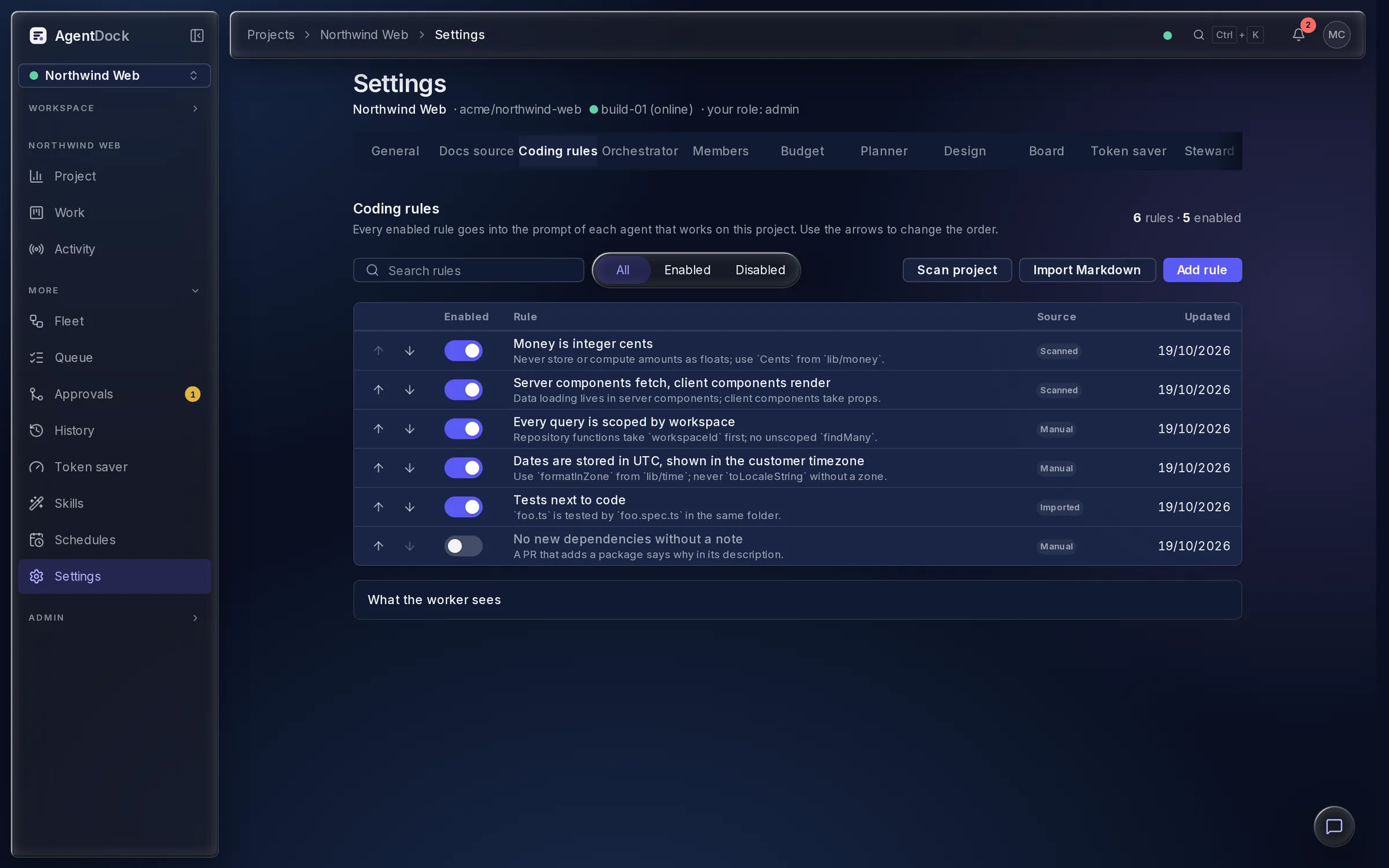
Rules
A rule is a title and a description, with an enabled switch and a position. You can add, edit, toggle, delete and reorder rules. Anyone who can edit project settings can write them, and members without that role read them.
Three ways to fill the list
- Manual: add a rule by hand.
- Imported: paste or upload Markdown. Each top-level heading, or each list item when there are no headings, becomes one enabled rule. Duplicates by title are skipped, and the result shows created and skipped counts.
- Scanned: when you connect a project, the runner reads the conventions it already documents (
CLAUDE.md,AGENTS.md,CONTRIBUTING.md, lint and format configs,.editorconfig) and proposes candidates. Nothing is saved or enabled until you accept it, and a rescan from the Rules screen does not duplicate existing rules.
How they reach the agent
Each enabled rule goes in order into a delimited block of the worker prompt, headed Project coding rules, telling the agent to follow them in all the code it writes. Rules are read at dispatch, so an edit or a toggle applies to the next run without a restart. A project with no enabled rules gets no block, and an oversized list is truncated with an explicit marker. Card workers and fleet workers get the block, the planner does not.
Rules guide the agent. Nautelle does not check the generated code against them. Keep enforcement in your linter and CI, which shipping watches.
Rules live in Nautelle, never in files of your repository.