Feature/New work intake
Start with one sentence. The planner asks the rest.
New work opens an interview on the Board. The planner reads your repository, asks only what it cannot find there, recommends an answer to every question, and writes one card, a split or a stack. Nothing runs until you accept it.
An interview with a recommendation on every question
The planner runs a short interview in your language. Every question comes with a recommended answer and the reason for it. Pick an option, write your own, or leave it alone and it takes the recommendation.
- At most four question rounds, and only while something material is unknown
- Enough, generate ends the interview at any point
- You can attach screenshots to the request
Should the CSV export include archived invoices?
- Only active invoices RecommendedThe invoices list hides archived rows by default; the export matches what the person sees.
- Include archived invoices
- Write your own answer…
Questions from your code, not guesses
The planner runs on the runner with read access to the repository. It reads CLAUDE.md, AGENTS.md, the decision records and the code the request touches before it asks, and cites the decision behind a recommendation.
- It never asks what the repository can answer
- The model is a per-person setting you can change at each start
- Cards are written in English, whatever language you typed in
- A card is a mini-spec with four fixed sections
Add CSV export to the invoices listfeature
## What to do
An Export button on the invoices list that downloads…
## Acceptance criteria
- [ ] The file has one row per visible invoice
- [ ] Amounts keep their currency
## Out of scope
Scheduled exports.
## Open questions
None.
One card, a split or a stack
Each turn ends in a question round or in one of three results. Small work is one card. Unrelated tasks, or one task too big for one agent, become a split. One larger piece of work whose parts happen in order becomes a stack.
- A split is two to eight independent cards, with a reason
- Keep one card declines a split or a stack
- In the review, switch between Split and Stack, edit titles and kinds, move cards between stages
One card
One clear task for one agent and one pull request.
Split
2 to 8 independent cards: unrelated tasks, or one too big.
Stack
Ordered stages that share one look, under one design.
Candidates wait in Drafts
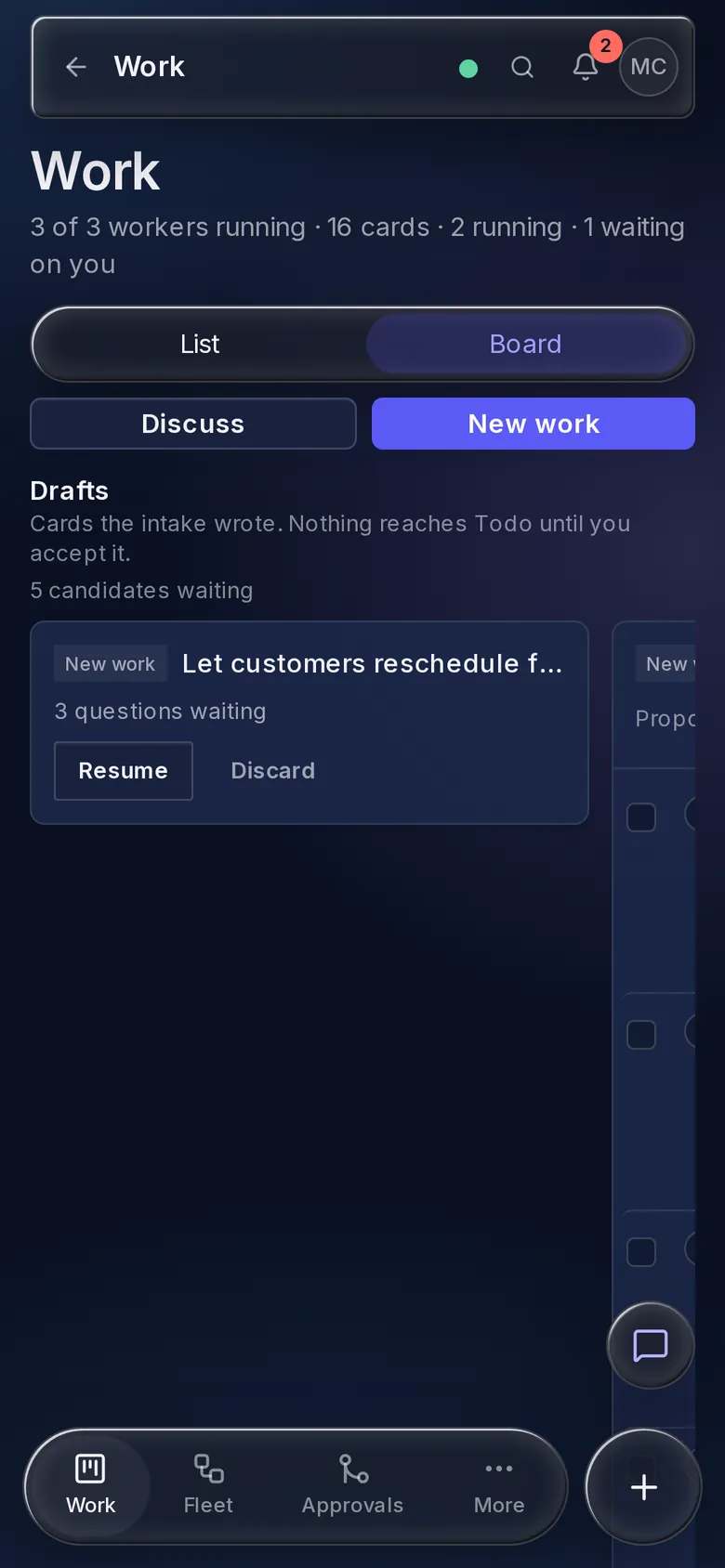
The planner does not create cards. It writes candidates, and they wait in the Drafts strip at the top of the Board until you decide each one.
- Edit, reject or accept a candidate; Accept makes the card in To Do
- Accept all takes a whole split or stack as proposed
- Select candidates from several intakes to accept them as independent cards or as one new stack
- An intake still waiting on questions has Resume
From Telegram, with voice and photos
/new <text> starts the same interview in the chat. Each question arrives as its own message with option buttons, and a text reply is your own answer. The chat ends where the web does: the candidates wait in Drafts.
- Send a photo of the bug as the brief
- Dictate the work as a voice message, when a speech-to-text service is configured
- Or ask the assistant to start New work for you
Where it sits in the chain
The whole chainThe intake is where the chain starts: your sentence, then the interview.
- 01Say what you want
- 02Interview
- 03Card, split or stack
- 04Design
- 05Run
- 06CI
- 07Merge
Every screen and setting, in the new work intake guide.
The guide covers each control, limit and rule on this page, with the exact names you will see in the app.